
What is an example of a good real estate agent profile on LinkedIn? What is a good LinkedIn headline? How to write a realtor description for LinkedIn? Why do realtors want a LinkedIn profile, and what to do with it? You can use LinkedIn to look for a new job, showcase your product and service, search for content, or build a network. I will discuss tips and advice to increase your credibility and value through your professional LinkedIn profile. For more information on Edmonton home building, trade supplier business, and my random thoughts, visit
To create a top-performing attention-grabbing LinkedIn profile, I follow Oliver Schinkten’s “Learning LinkedIn” course on LinkedIn Learning. Schinkten provides a step-by-step process from creating a profile to writing content.
Why do you want a LinkedIn profile? First, LinkedIn is a resume keeper for many. Still, as a realtor, it should be utilized to add value and gain professional referrals. Your profile is typically in the top 3 for Google search of your name.
Is your profile (or lack of) displaying who you are as a professional? Where else do people go to find out about you and the skills you have? What value do you offer? Where can you display this value? LinkedIn is the answer to most of these questions.

First, to develop a professional network and gain referrals, you need to create a profile. The profile needs key things: Information about your experience, a summary of who you are, and your area of expertise.
Create a LinkedIn Profile
My good friend and incredible Edmonton realtor, Christina Reid (Chris), is our sample above. Chris’s LinkedIn profile is a typical underutilized profile. You can see she is a realtor that has 14 years’ experience. Her activity is high because of her Broker’s automated system, and she has received endorsements for strategic planning. You will build on each of these and more.
Work Experience:
The goal is to provide quality information about yourself. Everyone would like to have many degrees and extensive work experience or a great title. But, it’s critical when building your brand to be clear about who you are. You then use keywords to describe your experience and your mission statement.

PRO-TIP What keywords do you need? I will show you how LinkedIn can provide you with the right words for the job. Chris uses “licensed realtor”; it might be a real estate specialist or new home sales for you. Once you have decided, select the “more” button under your number of connections. Select the “build a resume” option. Don’t worry if you do not have anything in your profile. This process still works. Select build from the profile if you don’t have another. The program will ask you for the job you are seeking.
Once created, the resume insights will populate on the right of your page. You can see here that Chris’s had five suggested keywords. Investment properties, residential real estate, working with first-time home buyers, real estate transactions. Then incorporate these keywords into your resume in either the job descriptions or summary.
Be sure to fill in your experiences with descriptions of your role, what you accomplished and any recognition you received. Keep the keywords in mind and use them where you can. The important thing is to capture your keywords while explaining your value. You will follow a list of Fundamentals for LinkedIn. Quality and Keywords. * The full list is at the end of the blog
Fundamentals of experience.
- Information is Quality.
- Don’t worry about getting a list of keywords if they are not valid.
- Use keywords.
- “Working with first time home buyers” was challenging to add, so we listed it among other skills.
Profile Pictures
Profile Picture is the first thing that people see. Profiles that have a photo have 10x more views.
Oliver Schinkten, 2020, LinkedIn Learning: Add a Profile Picture. 0:14)
Profile Pictures get ten times the engagements than profiles without. Don’t worry about a corporate headshot, just a photo that represents you. Your face is the primary focus. It should be the dominant image in your photo. So the picture of you with a big fish you caught is not it. You want someone who you will meet you to know what you look like. You could be one of twenty pages of Chris Reid’s in Canada. A reminder that you are building brand and trust. An obscure or missing photo does not improve the trust and relationship. If you are concerned with showing your face to people you don’t know, think that other people feel the same and want to know.
PRO-TIP You have also had an opportunity to add a banner photo. Your banner is a great place to get creative and be yourself. Remember to be professional.
Basics ruled for your profile photos:
- It should also be better than an 8-bit quality
- Unless you look like a Minecraft character in real life
- Display professionality
- Party photos of beer-chugging should not be used. Keep those for your FB profile.
- Respect copyrights.
- Unsplash.com provides free to use photos.
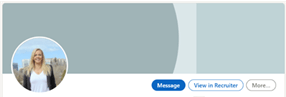
See below how Chris’s face is the focus of the photo is clear and high quality. The background photo from Photo by Alicia Paydli on Unsplash helps her standout.

Good LinkedIn Headlines
A good LinkedIn headline should focus on your intent and what people search for. Your current job title is captured in your work experience and is LinkedIns default. Chris’s headline read, “Realtor at Century 21 EVOLVE”. We improve it to read, “Real Estate Market Expert, Realtor, New Home Sales Specialist”. The new headline captures her specialty in new home sales, and her value as a restate market expert.
Fundamentals of headline and Summary:
- Use keywords.
- Capture the Value you are adding
- What will people get in value connecting with you?
- Be your professional self.
- Add your personality and be you. Focus on your brand.
Summary or Description
As a realtor, the description or summary is who you are. It should be your mission statement, values and capture attention. It is a place to catch some keywords. The first three lines are visible to people until they select to read more. So make sure you first capture the most valuable parts. Chris didn’t have a summary before, and we were able to talk about her values and passion and capture four keywords, see below.

Education, Certifications, Skills, and Endorsements.
LinkedIn has several locations to showcase your achievements, including your realtor license, specialty training, or customer experience awards. There is a section for recommendations. Keep these recommendations from your professional network. Customer referrals have the most significant impact on FB and Google. The professional recommendations support and document the value you provide to your network. These recommendations are not something people have top of mind, and requesting them is normal.
PRO-TIP: When you send your request for a recommendation, you help the person know what you want them to write about. For example, Chris sent this to her contact. (right)

Contact Info
It would be unfortunate to build your profile, capture the right keywords, and network if there was no way for people to contact you. Chris and I discovered that none of her contact info was in her >10-year-old profile. As a realtor, you likely have your website, phone number, email, etc. make it easy for people to connect.
PRO-TIP adjust your URL. The image to the right shows on the top right of the screen when you are “viewing your profile”. Select edit public profile & URL. In the same location on the next page with have your URL.
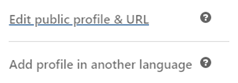
Your URL is your LinkedIn web address and should be on to your business cards, letterhead, etc. It usually looks like http://www.linkedin.com/in/christina-reid-2535981 can edit everything after /in/ Keep it simple www.linkedin.com/in/christinaareid (remember the 20 pages of Chris Reid?).
Build Your Network
“LinkedIn is very much about you get what you give” (Schinkten, 2020, LinkedIn Learning: Find and Add Connections, 0:14). There are several ways of building your network; groups, hashtags, position search, location search, or the LinkedIn recommendations found in your “My Network” tab. The key is to connect with people that you provide value to.
PRO-TIP most people are not using LinkedIn to shop for houses. They are looking for value. If you add a home posting, inspire them, ask a question or opinion, and showcase something you are proud of. Most of all, support others first with an 80/20 rule. 80% of your post should be helping others and adding value, and 20% should be self-promotions. If you want a weekly post about your business, make sure and have four other posts supporting other people.
Using LinkedIn Day-to-Day
How do you add value to your network? The simplest of ways is to like or comment on the content of others. If there is a question about a post, ask it. If someone is inspiring, select the “like” button. This sharing method is fast and easy to help boost your connections reach. Take, for example, my profile (Chris is still building her profile). I found a post from a great builder. I complimented his home and asked a technical question about utilities. The original post and my comments received more views and conversation.
The second way is to share content that you find on the internet. Most articles and newsfeeds have a LinkedIn button to share the report with your network.

PRO-TIP: Sharing is great but providing a summary and why you found it interesting or valuable will get you greater engagement. Can you also ask a question like, do you agree?
The final and most powerful way to share on LinkedIn is to write your content, including sharing photos, videos, events, and writing an article. The article writing tool is a powerful way to create lasting original content that can be linked back to you and your profile
LinkedIn is a learning social media site. This means the more you use it by liking, commenting, searching, and viewing, the more personalized the content will be.
Manage Your LinkedIn Account
You can customize your LinkedIn to your preferences and goals. If you would like extra benefits and features, there are several different Premium Accounts.
LinkedIn Learning offers extra advanced classes covering. Rock Your Profile, Quick Tips and more.
Conclusion
As a realtor, you are your brand. You strive to add value every day working with clients. Your LinkedIn profile is your connection to your professional network. With a bit of work, you will increase your network’s value, grow your influence and get more professional referrals. If you are looking for a friendly and brilliant realtor, my friend Chris Reid is the best! Timber Haus is an Edmonton custom home builder specializing in infill construction. Don Tolsma and his team build beautiful houses.
Check out my other blogs here.
Visit My LinkedIn: Real LaFrance
Fundamentals for LinkedIn
- Capture the Value you are adding
- What will people get in value connecting with you?
- Be your Professional self.
- Add your personality and be you. Focus on your brand.
- Information is Quality.
- Don’t worry about getting a list of keywords if they are not valid.
- Use Keywords.
- Words that are related to your desired role and/or specialty
Readability: Grade 6
Keywords: realtor description for linkedin, real estate agent linkedin profile examples, whats a good linkedin headline, what is a good linkedin headline
References
Schinkten, O. (2020) Learning LinkedIn. LinkedIn Learning. https://www.linkedin.com/learning/learning-linkedin-3/get-started-with-linkedin?u=2109516
Roosevelt, T. (n.d.). Nobody cares how much you know, until they know how much you care. Brainy Quote https://www.brainyquote.com/quotes/theodore_roosevelt_140484
Paudli, A. (2020). [City of Edmonton] Photo. Unsplash. https://unsplash.com/@alipaydli?utm_source=unsplash&utm_medium=referral&utm_content=creditCopyText
Cover Photo by Kane Reinholdtsen on Unsplash
 Select Start Management Inc.
Fantastic advice on how to shape up LinkedIn Profiles!
LikeLiked by 1 person